
IrriWatch | Advisor
Navigation
Under the Vegetation section, users can scroll down to view the field’s graphs for Cumulative Dry Matter Production and Percent Vegetation Cover. Additionally, advanced users can access graphs for Leaf Nitrogen and Net Carbon Supply in Soil.
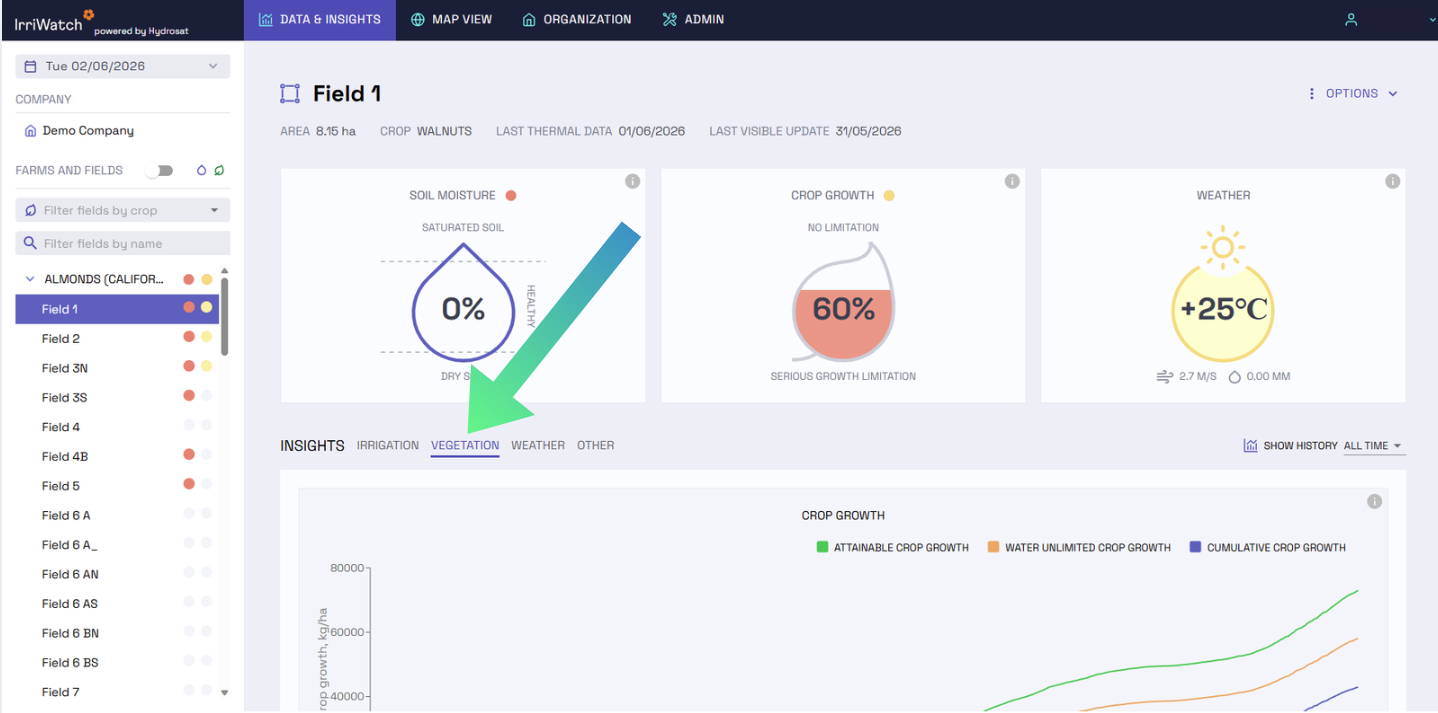
The Cumulative Dry Matter Production graph allows users to track overall crop growth, serving as a reliable indicator of final crop yield and potential economic returns (once crop-specific conversion factors, such as Harvest Indices and moisture percentage at harvest, are applied). In fact, yield can be estimated from cumulative dry matter production using crop/variety-dependent conversion factors.
This cumulative graph sums the daily dry matter production throughout the season, starting from the sowing/planting date. It reflects the incremental production of carbon and carbohydrates assimilated by the crop through photosynthesis, which are then used to form new stems, leaves, flowers, grains, roots, tubers, and other plant organs.
The orange line, representing Water Unlimited crop growth, highlights the production that would be obtained if the crop is not experiencing water stress, as the advice from IrriWatch is closely followed. The green line, Attainable crop growth, represents the target production for that specific field, calculated from the 90th percentile of daily dry matter production across the field’s pixels. The blue line shows the ‘’actual’’ cumulative crop growth or ''crop growth'', calculated as the average of all the pixels in the field. The field manager could use the Cumulative Dry Matter Production graph to reduce the spatial variability, by aligning the three lines and reducing the production gap, which represents the difference between achievable crop growth and crop growth.
To observe the spatial variability across the field, Dry Matter Production can be shown in the Map View using the daily Crop Growth and Total Crop Growth map layers.
The Percent Vegetation Cover graph displays the crop coverage across the field’s pixels, with the value shown as an average for the entire field. It serves as an indicator of the crop’s growth stage, with vegetation cover increasing as the crop grows. This coverage eventually plateaus, a level that varies depending on the crop type (for example, broadleaf crops may have higher pixel coverage, while bulb crops generally peak around 60%). Once maximum coverage is reached, vegetation cover begins to decline as harvest time approaches.
In the Map View, NDVI, an index that measures vegetation health and density, can be used as an alternative to Vegetation Cover.
The Leaf Nitrogen graph shows the average nitrogen levels in % detected across the field, typically following the same pattern as vegetation cover. A decrease in nitrogen levels before a drop in vegetation cover may signal yellowing, wilting, or drying of the crop prior to harvest. In the Map View, the Leaf Nitrogen layer, combined with the Crop Growth layer, can help guide field inspections and further investigations, such as detecting disease outbreaks or fertilizer deficiencies.
A portion of the dry matter produced by crops is harvested, while both above- and below-ground residues left in the field continue to undergo humification, converting them into soil organic matter. This provides a gross supply of organic matter (Soil Organic Matter Change Cumulative), which must be further added to the fraction coming from organic fertilizers (not detected by IrriWatch).
Some of this organic matter is decomposed and released as gases into the atmosphere, while the rest contributes to the Net Carbon Supply in the soil.
Maintaining soil organic matter and its associated microorganisms is essential for enhancing the soil’s water-holding capacity and supplying vital nutrients for healthy crops. Furthermore, sequestering atmospheric carbon in the soil supports regenerative farming practices. This process is key to understanding carbon pools in the soil.