
IrriWatch | Advisor Navigation
Creating New Fields
For Editors and Managers Only
Before creating an order, the following information should be gathered:
1.
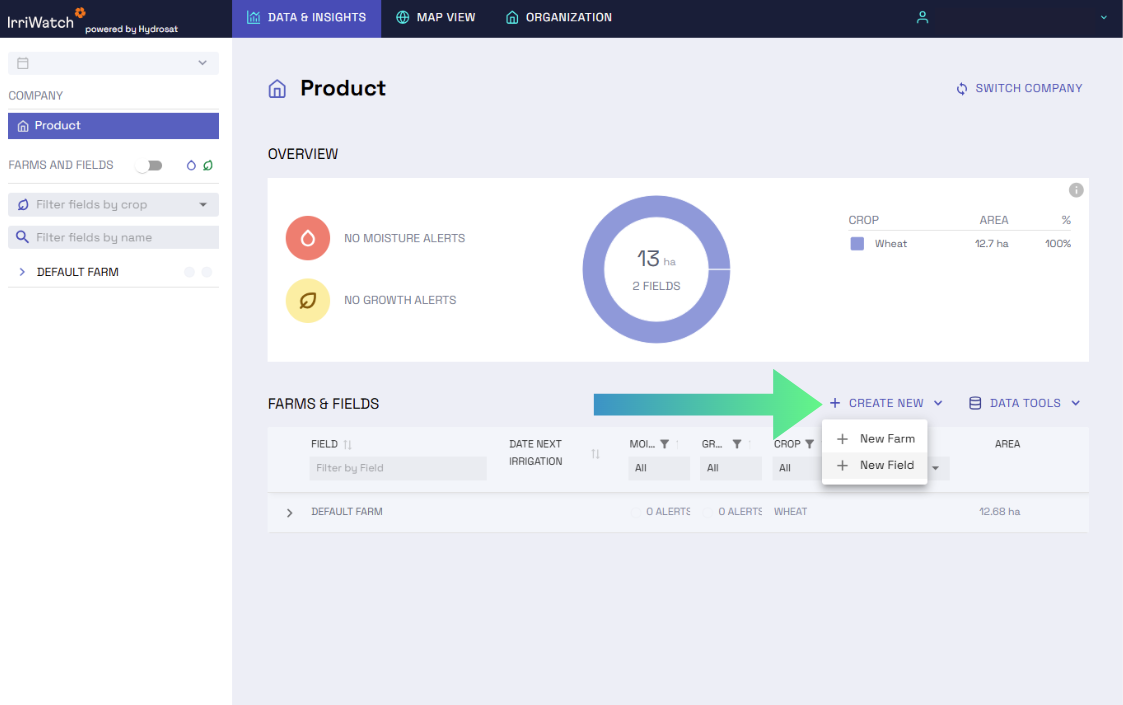
2.
To create a new field, users must define the field boundaries on a map (in Draw or Upload boundaries as shape files either by uploading a shapefile or drawing the shape) and then add the necessary details. The General File Upload can be used to upload multiple files containing relevant information for order creation, such as PDFs, Excel files, KML or shapefiles for field boundaries, and soil maps in TIFF format.
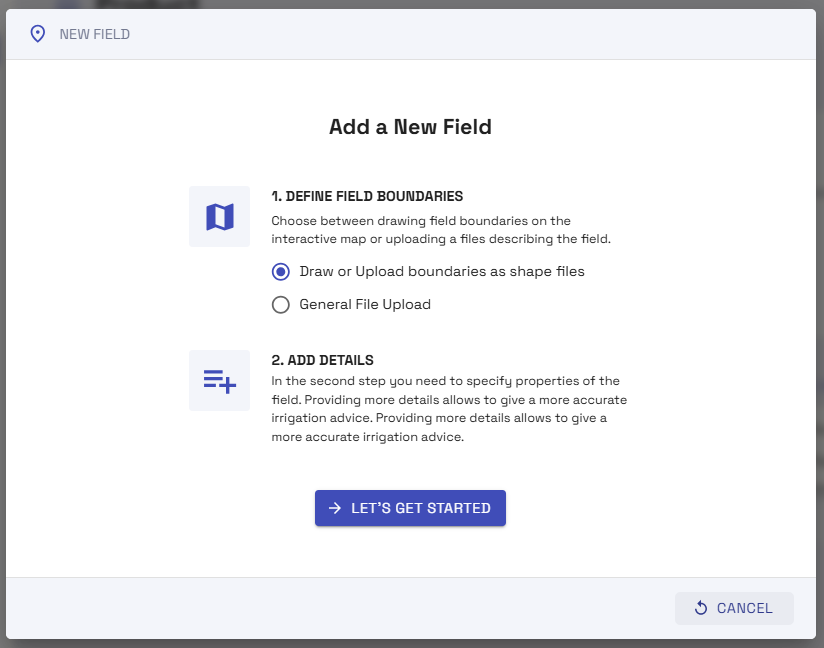
3.
The 'Draw boundaries' software navigates like the program's Map View. The software has it's own instructions to help with this process.
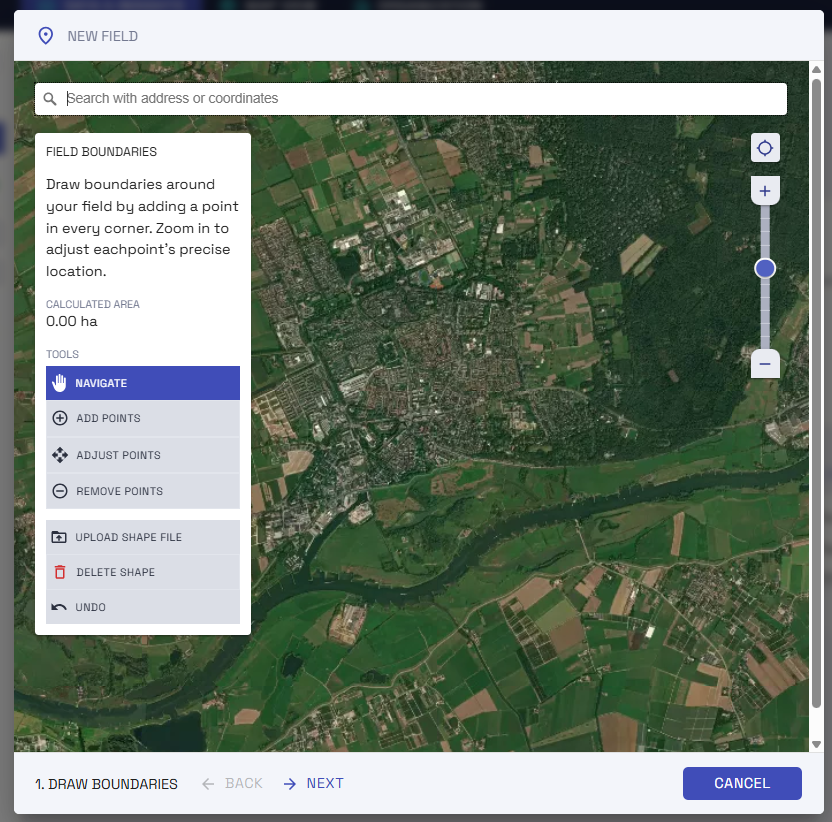
4.
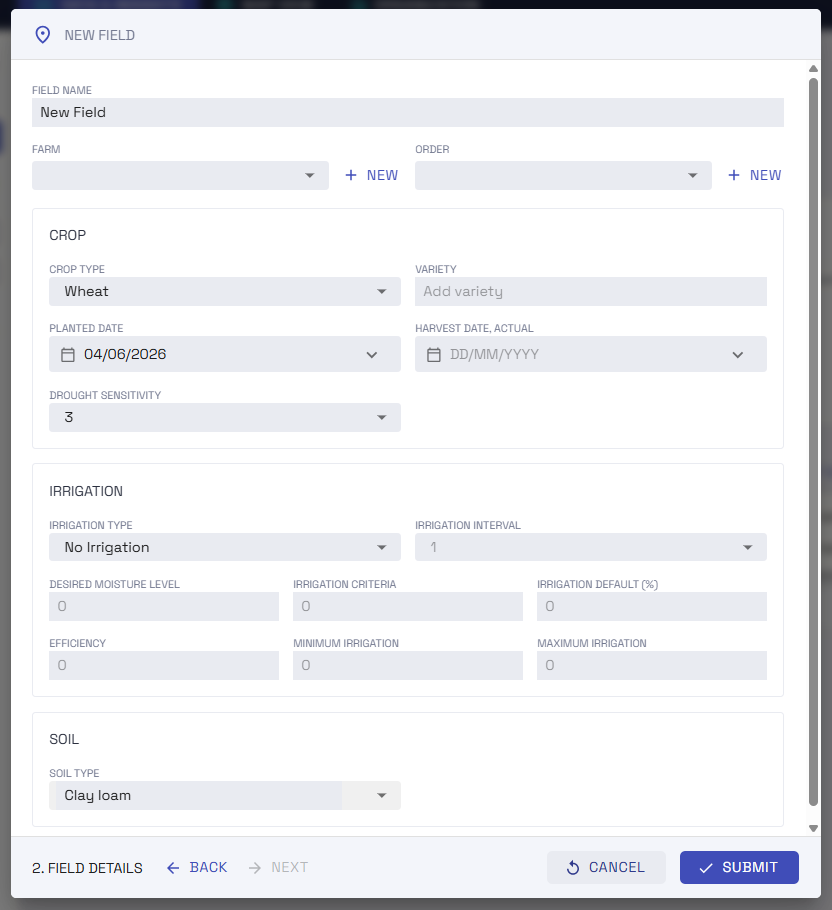
Once boundaries have been drawn, each field needs its details adding: the crop type, irrigation information, soil type etc.
After this step, it is complete and your field and field data should be accessible within the platform.
After this step, it is complete and your field and field data should be accessible within the platform.
For more IrriWatch | Advisor:
Learn more about the features, data and uses of IrriWatch | Advisor.
Help us
Improve
Your feedback helps us make our Academy more useful. Tell us about your experience and what you'd like to see next.