
IrriWatch | Advisor
Navigation
This tab displays the data as a Map View. Users can control the data displayed using: Point-and-Click selection (with the mouse in the map), with the Field Selection Panel (on the left side), and with the Layer Drop-Down Menu (in the upper left corner of the map).
In the upper left corner, there is a drop-down menu where users can select which Map Layer to display, between: Soil Moisture status, Date Next Irrigation, Soil Moisture, Crop Growth, Total Crop Growth, NDVI, Actual ET, Leaf N, Soil Water Potential, Soil Temperature Daily, or ‘Deselect all layers’ for seeing the background image. Users can also select the background map (Satellite and/or Streets), to display behind the fields to adjust for user’s visual preference or spatial orientation needs.
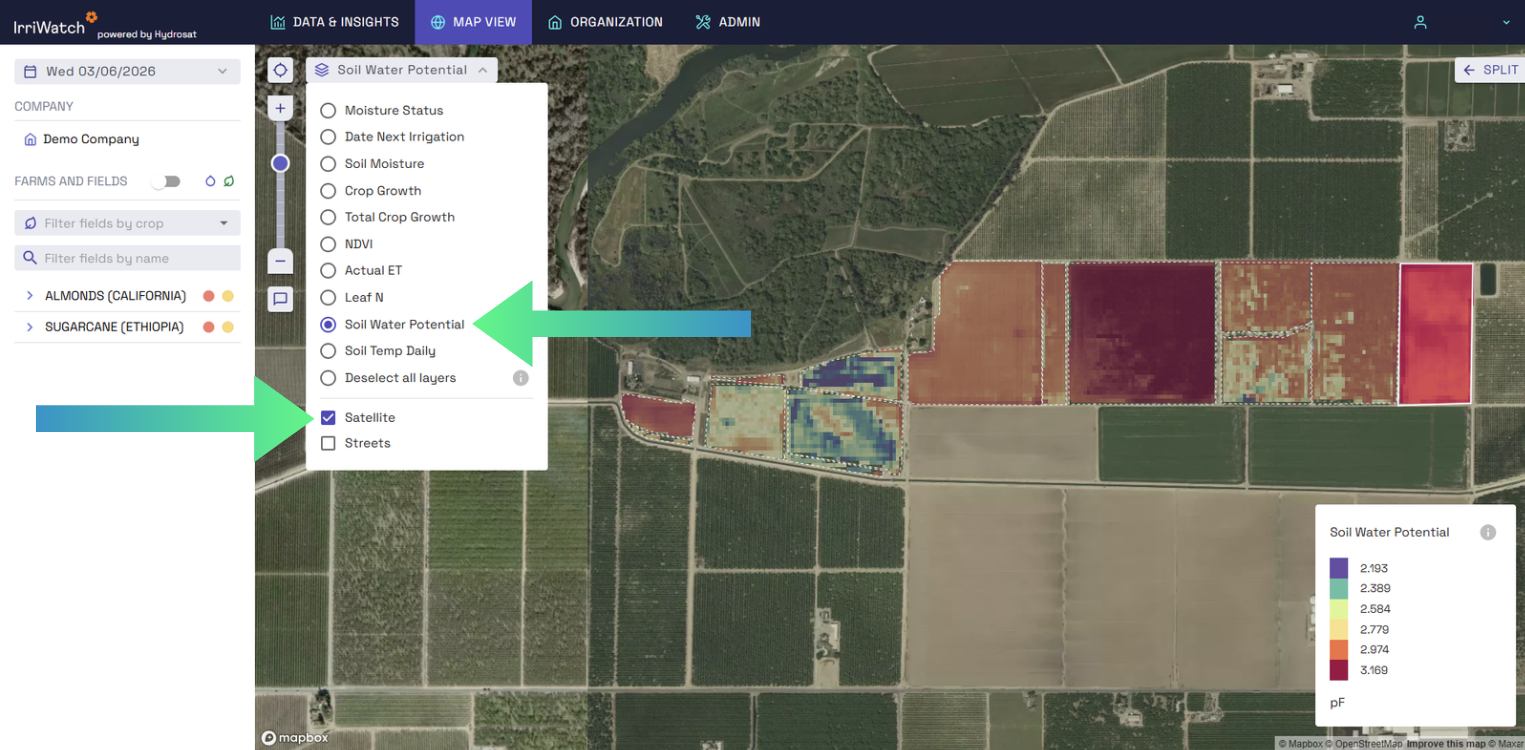
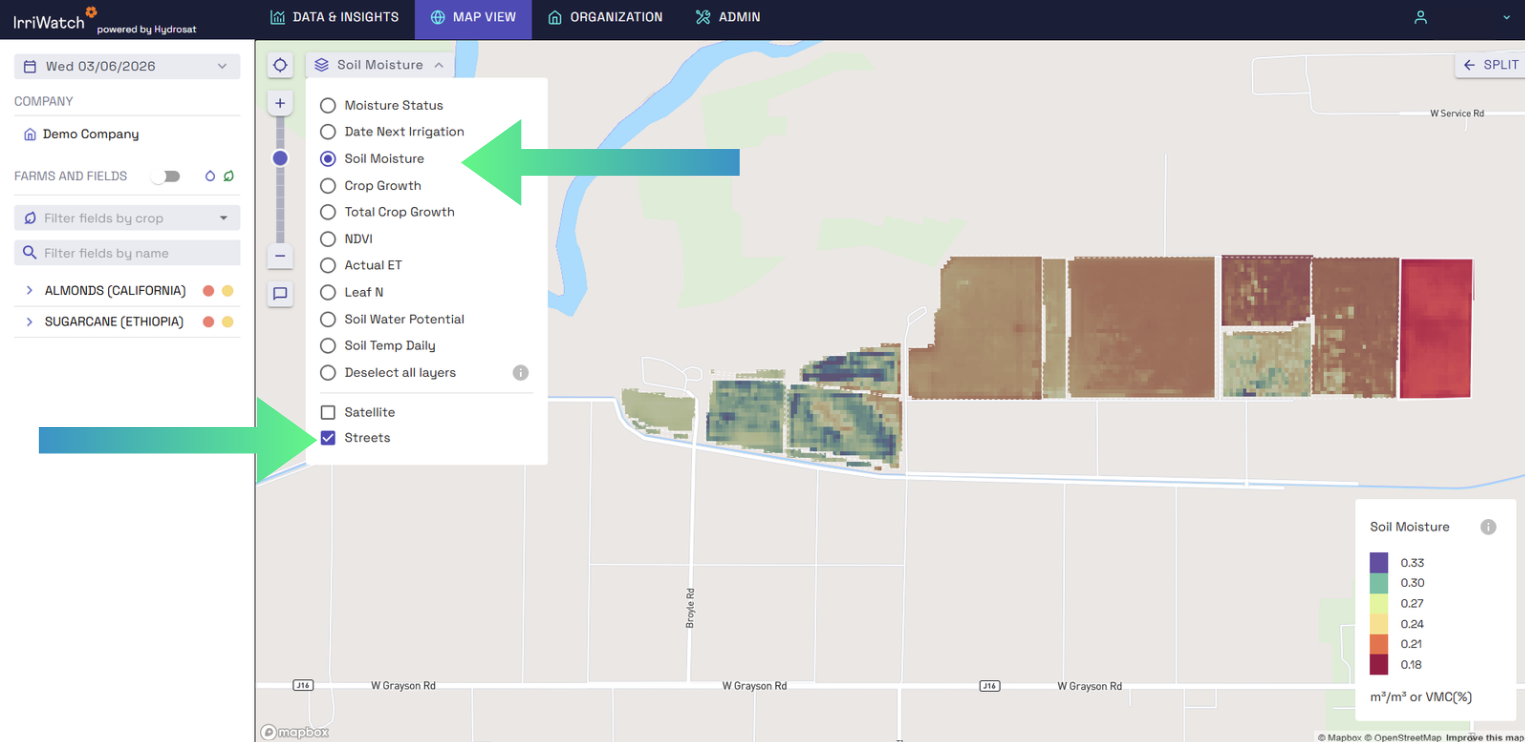
Users can Split the display into 2 side-by-side maps (each with unique data) using the Split button in the upper right corner. Users can alter each maps’ Date (to compare over time) or Layer (to compare different insights, such as Crop Growth-vs-Total Crop Growth).
Write your awesome label here.
Write your awesome label here.
Write your awesome label here.
Map Layers
Moisture Status
The Moisture status layer is not based on forecasted data, so it doesn't align with the first day of the irrigation planner. Instead, it is based on the most recent data derived from the latest satellite images.
Date Next Irrigation
Some fields may not trigger a moisture alert but still need irrigation on the same day. This occurs because, if the weather forecast is accurate, soil moisture is expected to drop below the critical level (irrigation criteria) within the irrigation interval, unless irrigation is applied. Conversely, when a moisture alert is triggered, irrigation is always scheduled, as the soil moisture has already fallen below the critical level.
Soil Temperature
Soil Moisture
Crop Growth/ Dry Matter Production
Total Crop Growth
Normalized Difference Vegetation Index (NDVI)
Actual ET
Leaf Nitrogen
Soil Water Potential
Please note:
The red colour in the map layers does not always represent the worst field conditions, it is a relative scale.
Help us
Improve
Share With
Your Network
Share the IrriWatch Academy with your colleagues and network.
Helpful links
-
Home
-
Cookie Policy
-
FAQs
-
T&Cs
-
Privacy Policy
-
Feedback Form